
Summary
If GibbsCAM displays the error:
Translating Drilling Operations in the Z direction is not supported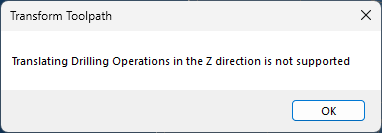
the software has detected an attempt to move a drilling operation along the Z-axis using a method that is not supported.
Although earlier versions of GibbsCAM could sometimes perform this operation, the behavior was the result of a software defect. The operation could produce incorrect machining results, so the behavior was corrected in later releases. The error is now displayed to prevent the creation of invalid toolpaths.
Table of Contents
Before You Begin
Verify the version of GibbsCAM you are using.
Save your part before making changes to machining operations.
Symptoms / Objective
You may experience one or more of the following:
GibbsCAM displays the error "Translating Drilling Operations in the Z direction is not supported."
A drilling operation cannot be translated along the Z-axis.
A workflow that functioned in an older version no longer works after upgrading GibbsCAM.
Procedure
Step 1 – Verify the Operation Being Modified
Review the operation that generated the error.
If you are attempting to translate a drilling operation along the Z-axis, this operation is not supported.
Step 2 – Review the Intended Workflow
Determine whether the drilling operation needs to be:
Recreated at the desired Z location.
Modified using supported operation parameters.
Regenerated from updated geometry.
Rather than translating the operation in Z, use the appropriate workflow for creating the drilling operation at its intended location.
Step 3 – If the Workflow Previously Worked
If the same workflow functioned in an earlier version of GibbsCAM, no corrective action is required.
The previous behavior was not an officially supported feature.
It was the result of a software defect that could generate incorrect machining results. Current versions intentionally prevent this operation to ensure toolpath accuracy.
Expected Result
The drilling operation is created or modified using a supported workflow, and the error no longer occurs.
Additional Information
Why This Error Occurs
Drilling operations are not designed to be translated along the Z-axis after they have been created.
Earlier versions of GibbsCAM could sometimes allow this operation due to a software defect. Because this could produce incorrect machining results, the defect was corrected and the operation is now blocked.
Common Causes
This message commonly appears when:
Attempting to translate a drilling operation in the Z direction.
Opening or editing older parts created with workflows that relied on the previous behavior.
Reusing machining operations that were originally created using unsupported methods.
Best Practices
Create drilling operations at their intended machining location.
Modify supported drilling parameters rather than translating completed drilling operations.
Verify regenerated toolpaths after making machining changes.
Update legacy workflows that depended on unsupported behavior.
Troubleshooting
Problem: A workflow that worked in an older version now generates this error.
Possible Cause
The earlier version allowed an unsupported operation because of a software defect.
Resolution
Recreate or modify the drilling operation using a supported workflow instead of translating it in the Z direction.
Problem: The operation cannot be repositioned as expected.
Possible Cause
Z-axis translation of drilling operations is not supported.
Resolution
Create a new drilling operation or modify the machining parameters rather than translating the existing operation.
Related Articles
- Troubleshooting Graphical Issues in GibbsCAM
- Troubleshooting GibbsCAM Crashes, Freezes, or Unexpected Closures
- How to Reset GibbsCAM to the Default Settings
Explore More from CAMCO
Visit the CAMCO website to learn more about:
Technical & Post Support
- Downloads & Helpful Resources
Keywords
Translating Drilling Operations in the Z Direction Is Not Supported, Drilling Operation, Z Translation, Translate Operation, Drill, Toolpath, Unsupported Operation, Machining, Legacy Workflow